SplitScreen
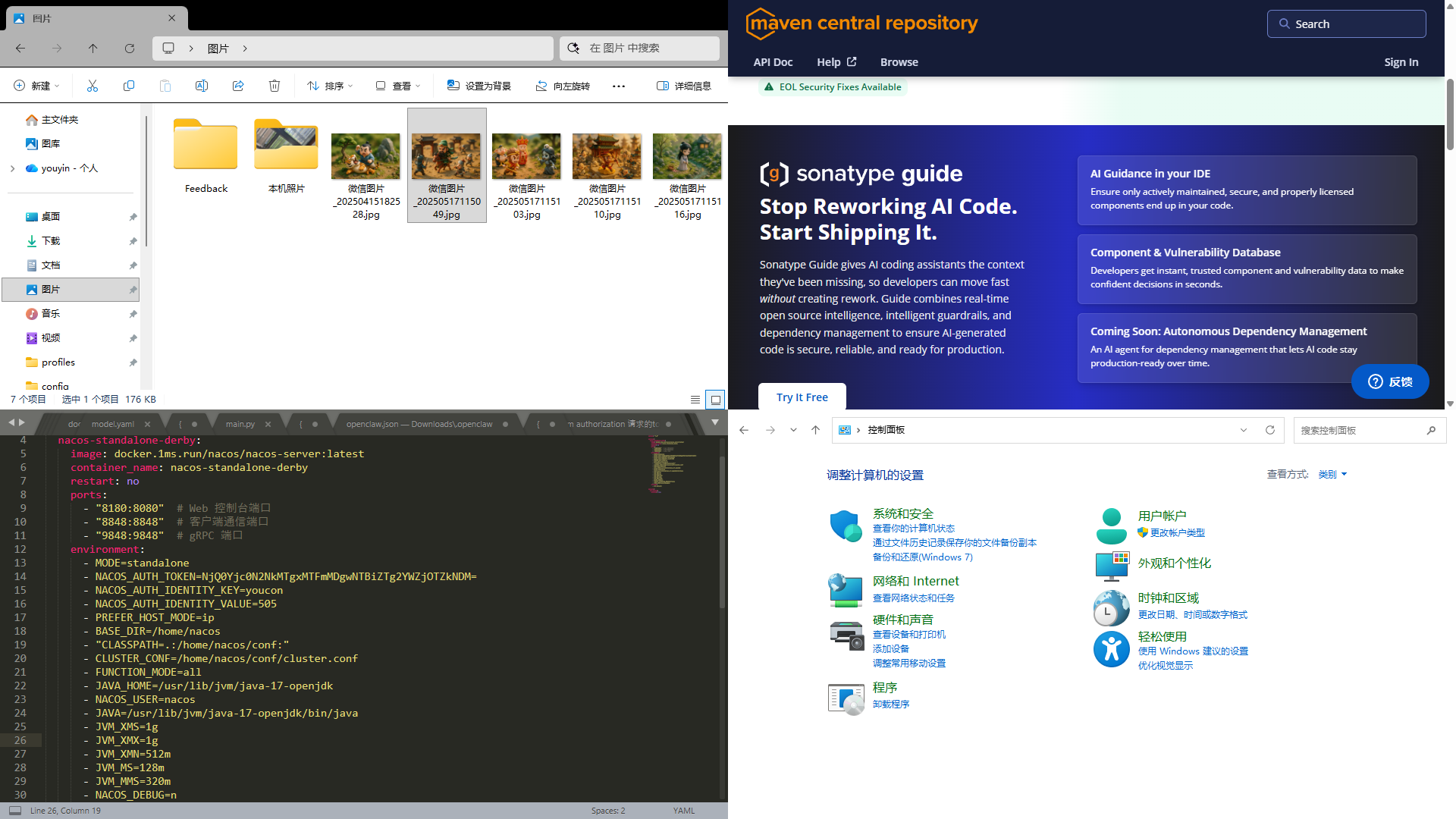
SplitScreen is a Windows layout and window management tool. It lets you bind desktop application windows into Zones, preview the arrangement in one workspace, and present the layout in fullscreen.
Highlights
- Left-right, top-bottom, three-zone, and four-zone layouts
- Bind windows from the list or by dragging an app title bar into a Zone
- Fullscreen output with
Ctrl+F11 - Target display selection for presentation
- Pure software embedded layout workflow in the current version
Quick Start
- Launch SplitScreen and choose the target display.
- Pick a layout that matches your workspace.
- Select a window from the list, or drag an app title bar into a Zone.
- Check the live arrangement in the preview area.
- Press
Ctrl+F11to present the layout in fullscreen. PressEscto exit.
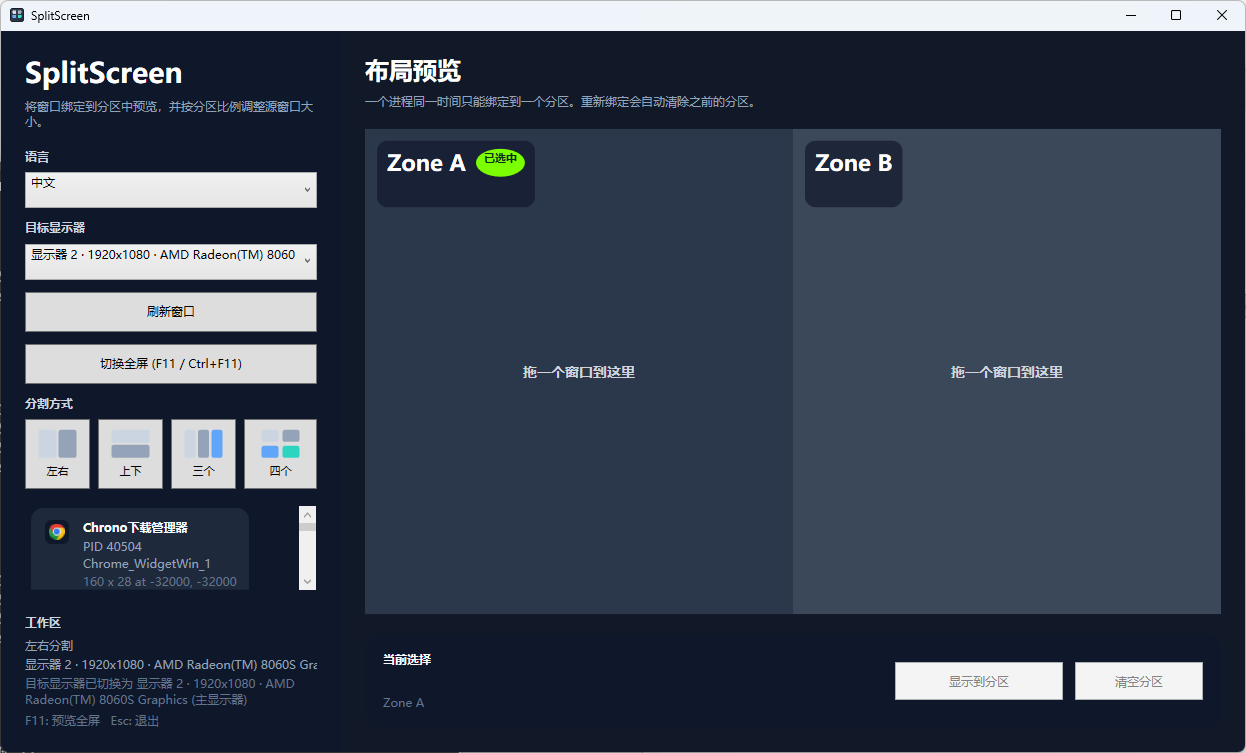
UI Preview
Binding Workflow
Method 1
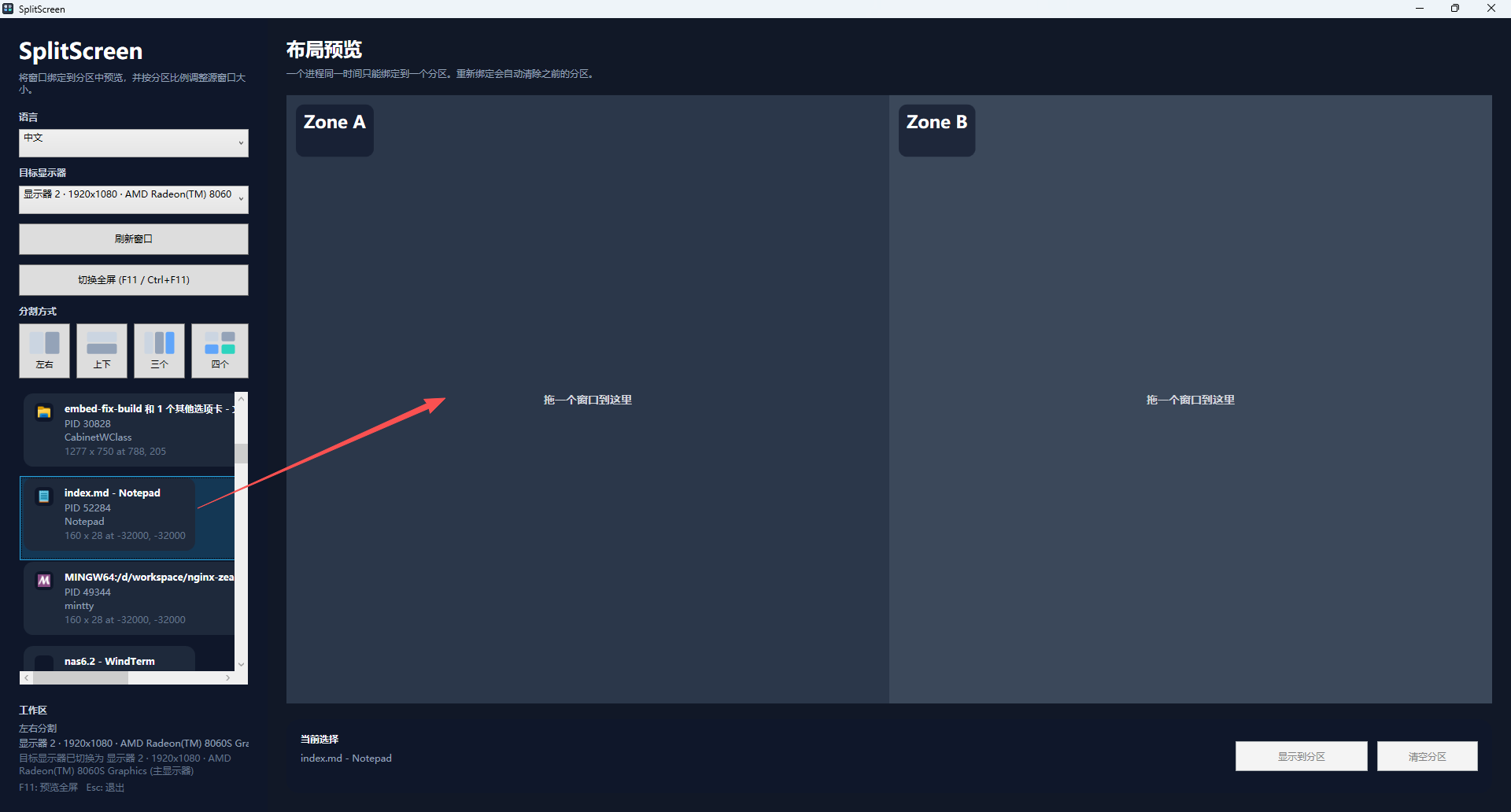
Method 2
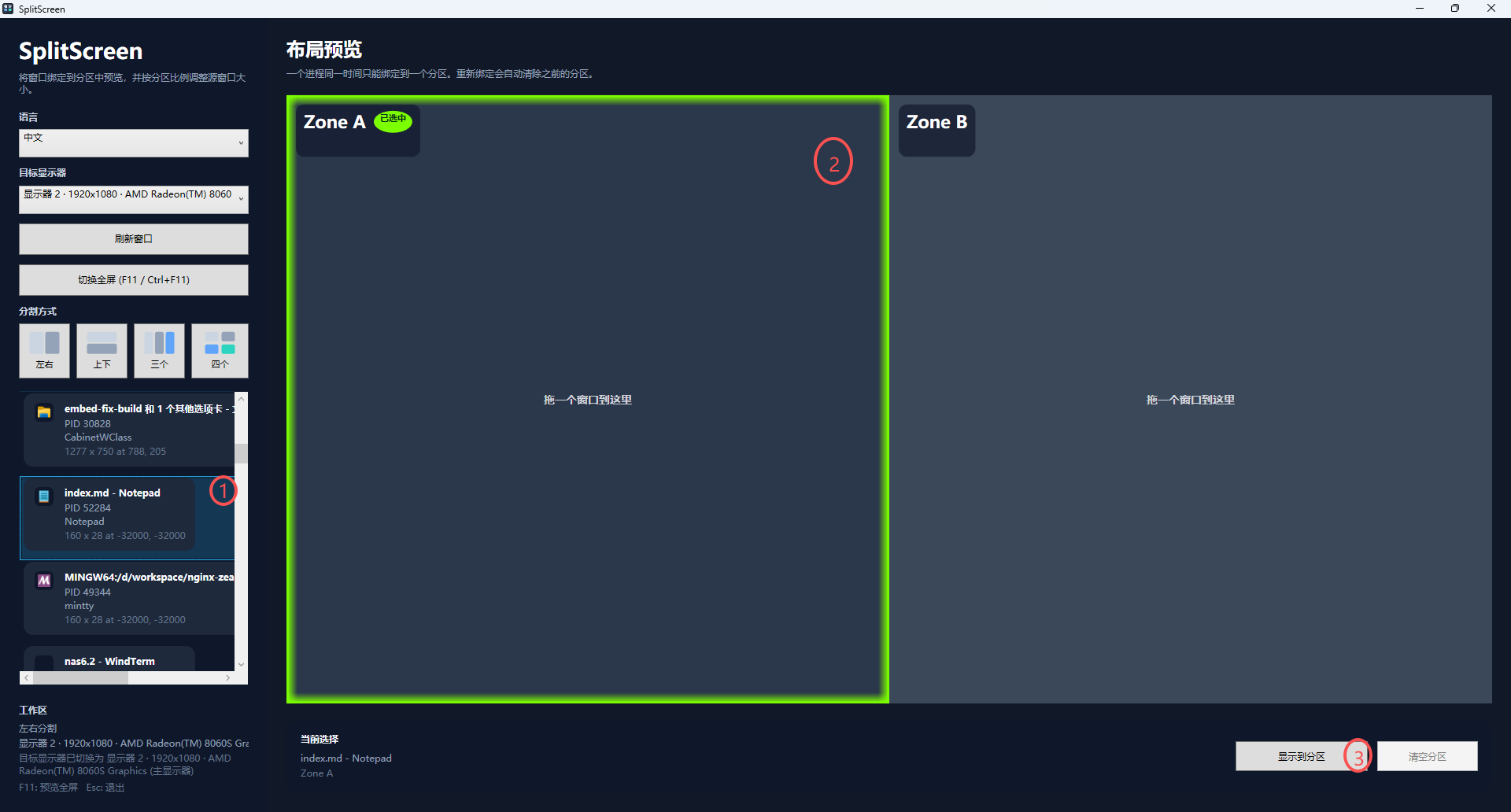
Method 3
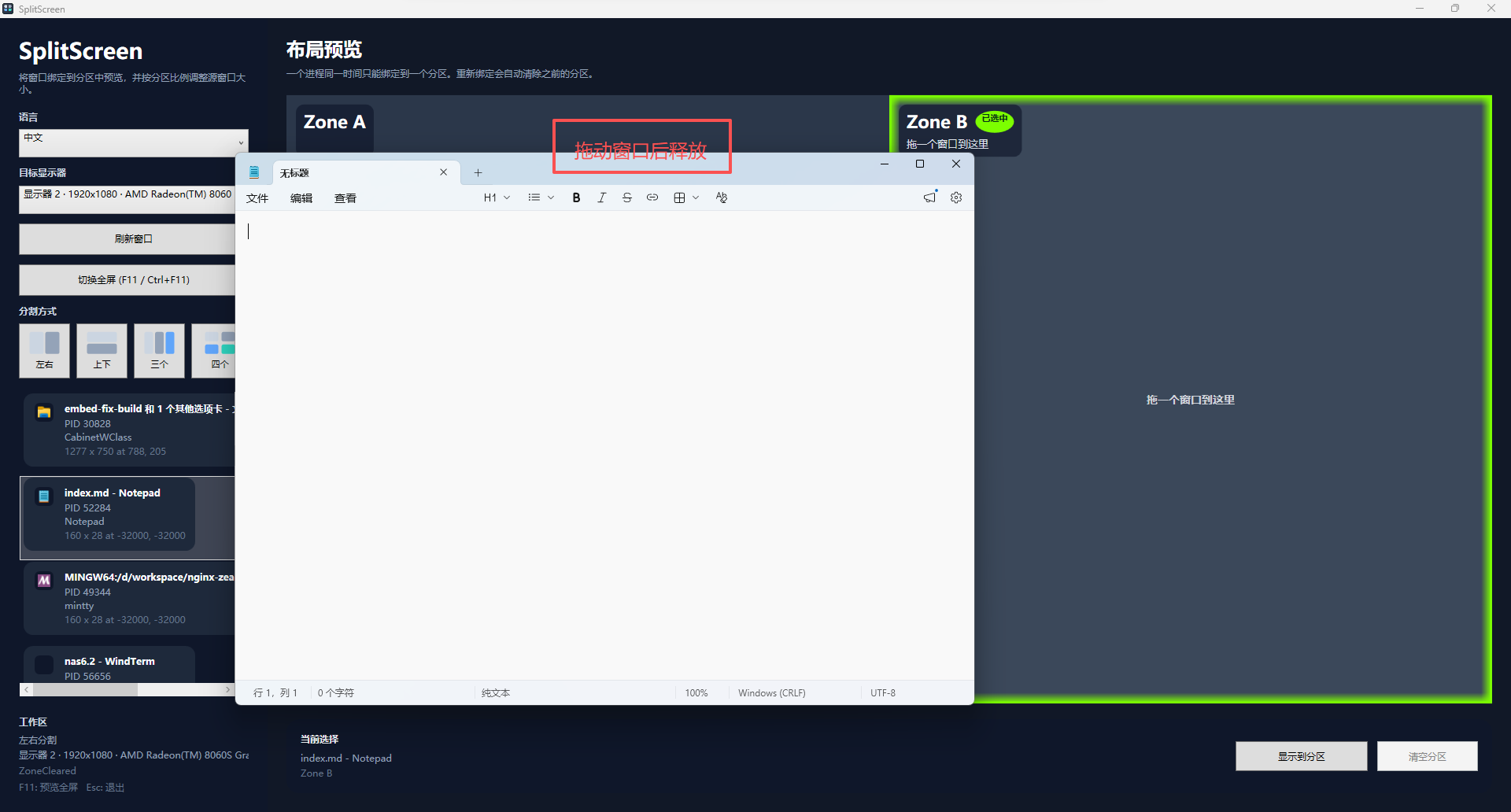
Notes
- Traditional desktop apps are the best fit for true embedding.
- Browsers and some modern windows may have limited compatibility.
- Clearing a Zone attempts to restore the window to its previous state.